What a drive is
A drive is a top-level folder that sits beside your vault, like an external disk beside your Mac's own folders. What changes when you mark one, and what doesn't.
1 min readUpdated 27 October 2026
01A drive sits beside your vault
Use one for anything that stands for a whole disk: LaCie 4TB, an old laptop, 2019 Archive.
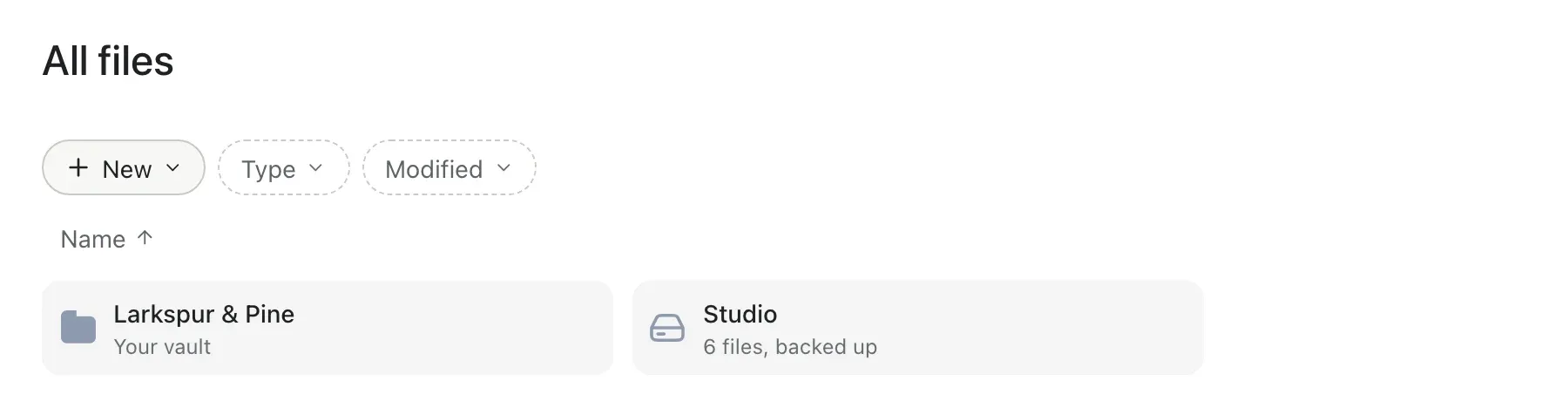
02Mark a folder as a drive
- Right-click a folder at the top of your vault.
- Choose Mark as drive.
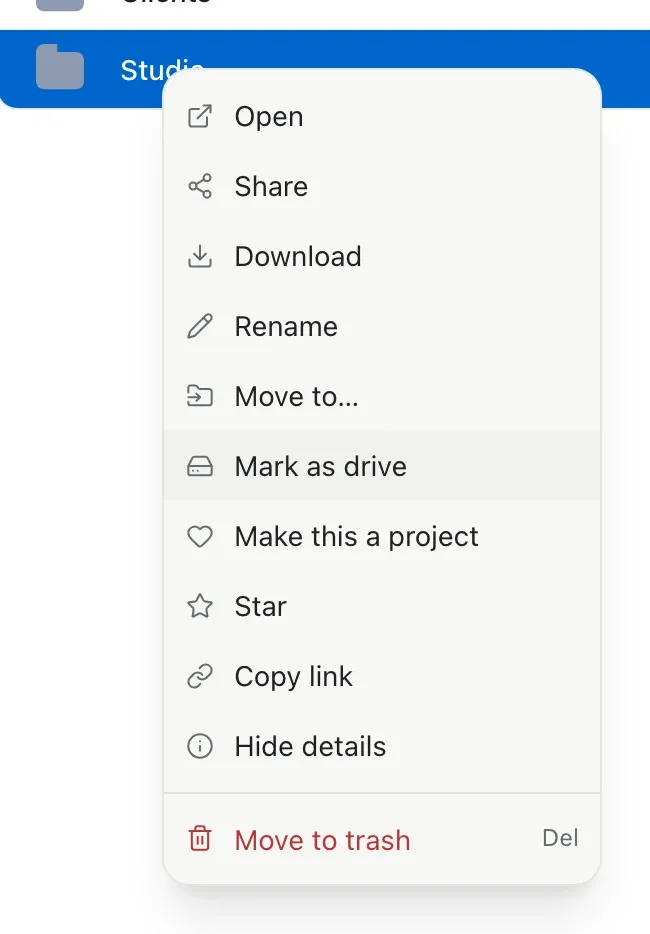
Backing up a whole disk? New › Back up a drive marks it for you as it uploads.
03What changes
- All files opens on your places: the vault, then each drive.
- Progress shows on each drive: Backing up… 64%, then how many files are backed up.
- Paths inside a drive start at the drive: LaCie 4TB › 2019 › Smith Wedding.
04What stays the same
- Nothing moves and nothing uploads again.
- Search finds everything in a drive.
- Projects inside a drive stay projects, shared the same way.
Changed your mind? Right-click the drive and choose Remove from drives.