What a project is
A project is a folder you're doing a job in: a wedding, a shoot, a case, a family album. It gets its own page with its date, its client gallery and what people did with it. It's still the same folder.
2 min readUpdated 27 October 2026
01A folder with its own page
Make a folder a project when it's one job: Ellie & James, Spring Recital, Smith v. Jones.
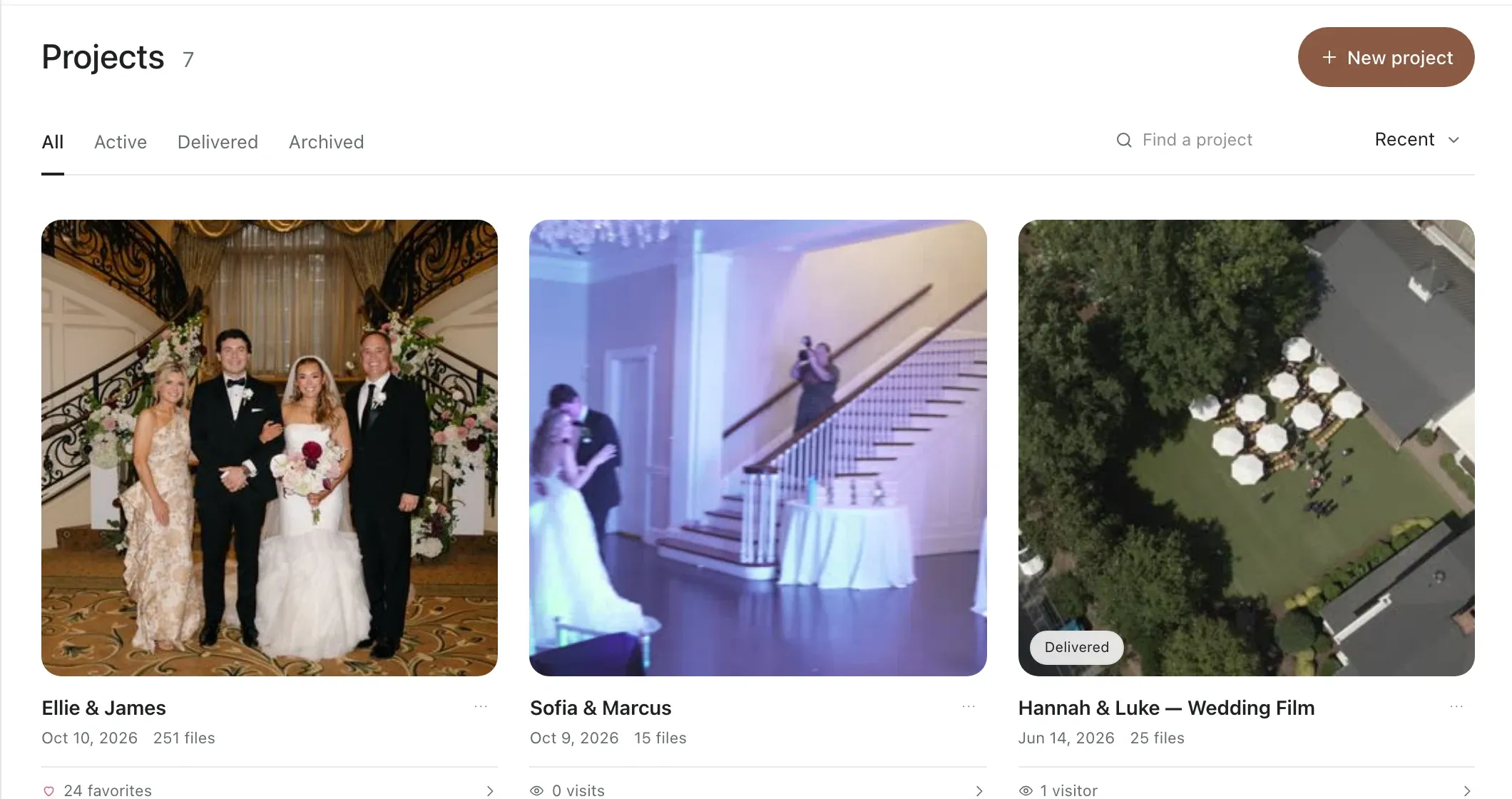
02Make a folder a project
- Right-click any folder.
- Choose Make this a project.
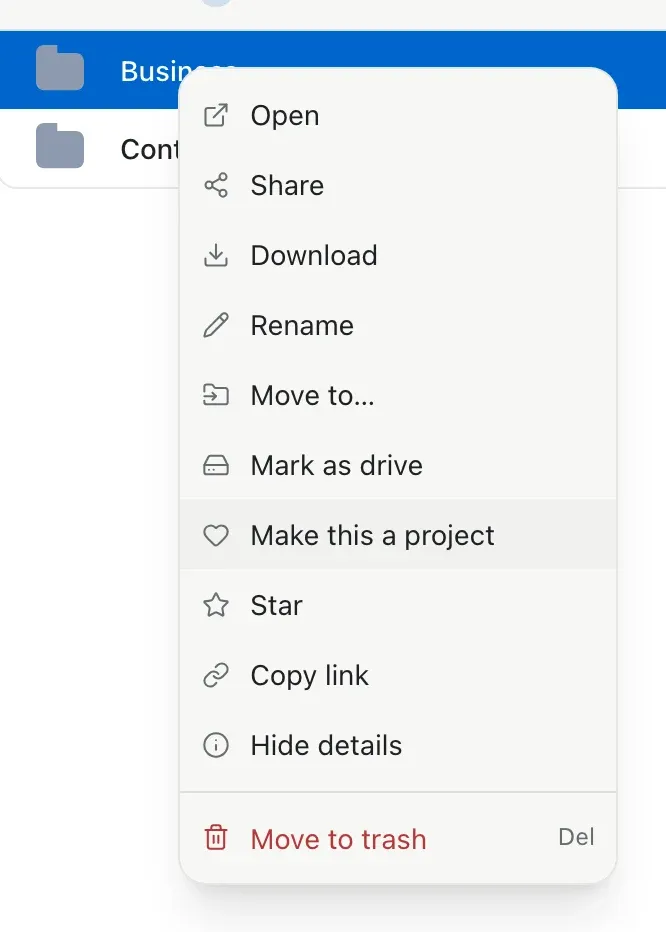
Starting fresh? New project on the Projects page makes the folder and the project in one go.
03What a project adds
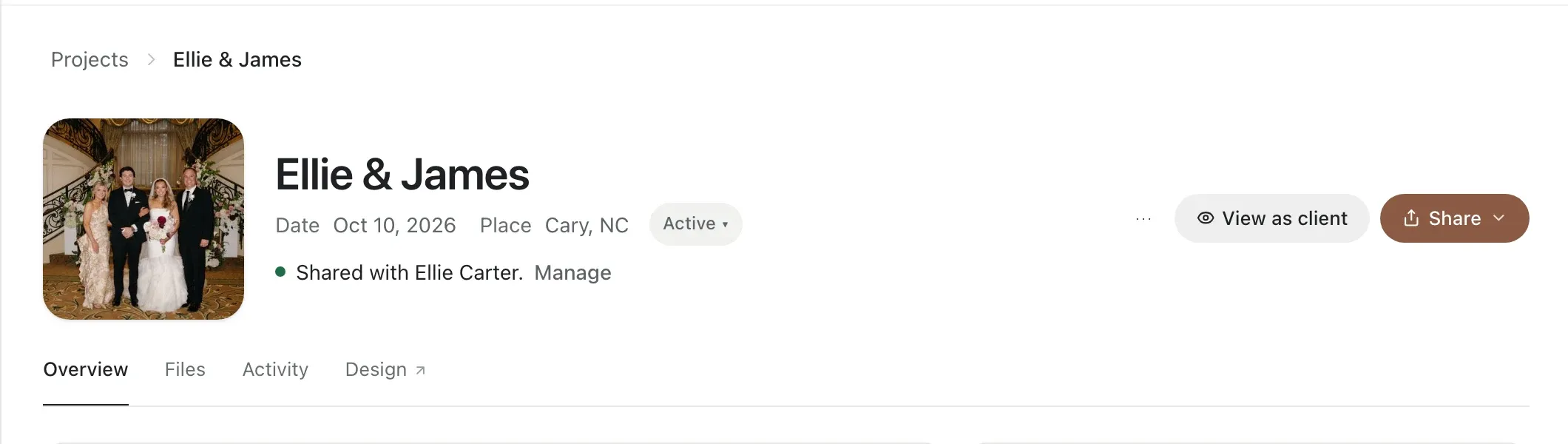
- A page with Overview, Files, Activity and Design.
- A date, a place and a status: Active, Delivered or Archived.
- A client gallery: choose which folders the client sees; originals stay private.
- Activity: who opened the gallery, what they hearted, what they downloaded.
- First in search: search for its name and the project comes up first.
04What stays the same
- It's still a folder. Nothing moves and nothing uploads again.
- It can live anywhere in your vault or on a drive, at any depth.
- One project per job: a project can't sit inside another project.
Changed your mind? Right-click it and choose Remove from projects. The folder and its files stay as they are.